Why Dash Cams Have Gone From Optional to Essential in 2026
Not long ago, a dash cam was something you saw in viral videos from Eastern Europe or on police cruisers. Today it is one of the fastest-growing aftermarket electronics categories in North America, and for good reason. The Canadian roads in 2026 are busier, more complex, and more litigated than at any point in recent history. Insurance claims are up. Fraudulent accident staging — where a driver deliberately causes a collision to trigger an insurance payout — has been documented in major Canadian cities. And the question of who is at fault in a collision increasingly comes down to whose version of events is more convincing, rather than what actually happened.
A dash cam resolves that uncertainty permanently. It records what happens continuously, without interpretation, without selective memory, and without the instinctive self-interest that shapes every human account of a stressful event. The footage is timestamped, GPS-tagged on higher-end systems, and available for review the moment it is needed — whether that is at the roadside immediately after an incident, in a conversation with an insurance adjuster, or in front of a traffic court judge.
As Kelley Blue Book explains in its dash cam buyer’s overview, think of a dash cam as a silent passenger that remembers everything — one that can provide clear video evidence of what really happened in the event of a collision or traffic violation. The case for having one installed is compelling. The case for having it installed correctly — by a professional, cleanly, and permanently — is equally strong.
What a Dash Cam Actually Records
Understanding what dash cam systems capture — and what separates a useful recording from an inadequate one — is the starting point for making the right purchase decision. Not all dash cams perform equally in the conditions that matter most.
Forward-facing video
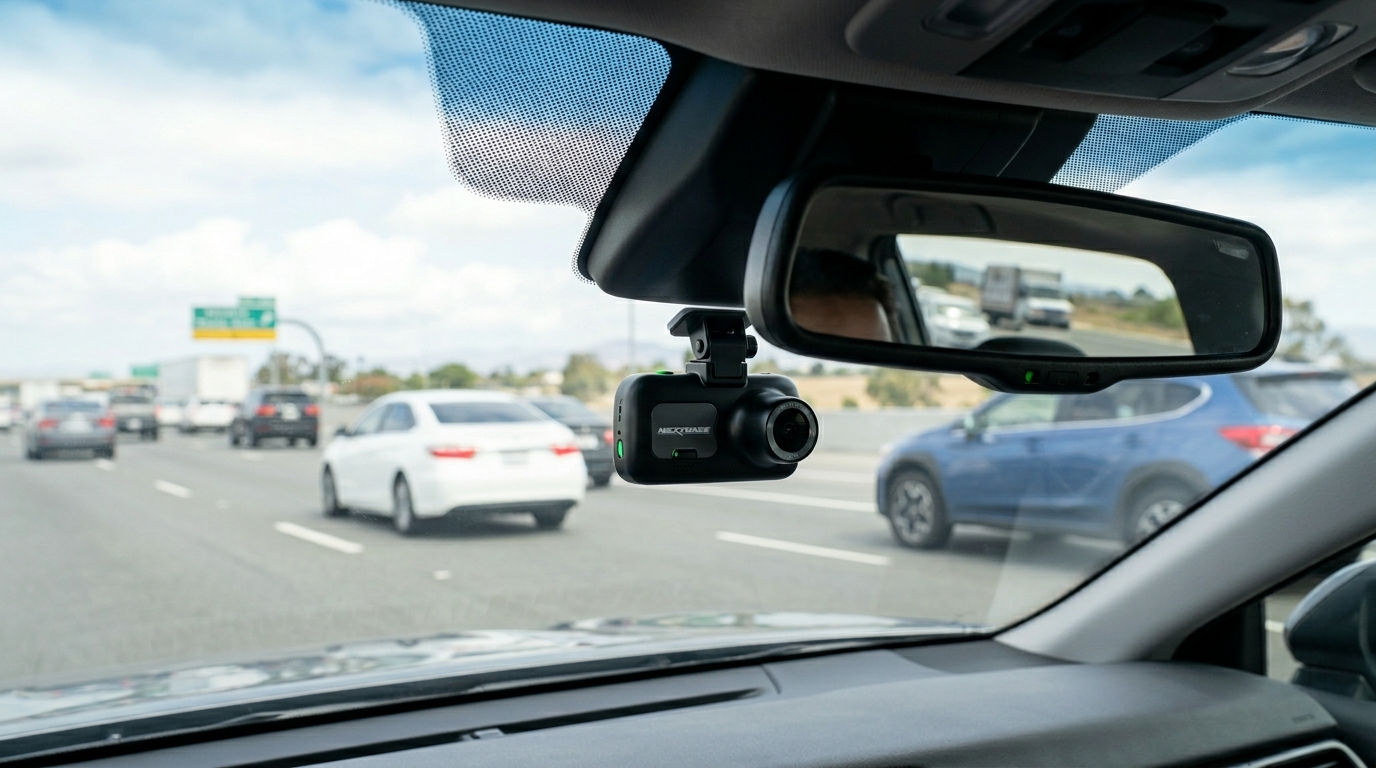
Every dash cam records forward-facing video through the windshield. The critical variable is resolution. A 1080p Full HD camera produces footage in which license plates are legible, lane markings are clear, and vehicle colors and types are identifiable at normal following distances. Lower-resolution cameras — 720p and below — produce footage that may look adequate on a small screen but fails to capture the specific details that make dash cam evidence actually useful in an insurance or legal context. In 2026, 1080p should be considered the minimum acceptable resolution for any dash cam installation, with 2K and 4K systems delivering meaningfully better detail in challenging conditions.
Night vision and low-light performance
A large proportion of serious driving incidents occur in low-light conditions — early morning commutes, evening rush hours, poorly lit parking areas, and night driving. A dash cam that performs acceptably in daylight but produces grainy, unreadable footage after dark provides only partial protection. The quality of a dash cam’s image sensor and its low-light processing — often referred to as night vision or starlight capability — is one of the most important performance metrics to evaluate, and it is consistently underweighted by buyers who only test units indoors under good lighting.
Rear-facing and interior cameras
Single-channel dash cams record only the view ahead. Dual-channel systems add a rear-facing camera — either mounted at the back windshield or integrated into a rear-view mirror replacement unit — that records what is happening behind the vehicle. This rear coverage is particularly valuable in rear-end collision scenarios, where establishing that the following vehicle struck you rather than that you braked suddenly can make the difference between a fault and a no-fault determination. Interior-facing cameras — a feature on some premium units — record the cabin, which is relevant for rideshare drivers and anyone who wants documentation of passenger behavior or the driver’s state during an incident.
Parking mode and motion detection
Many modern dash cams offer a parking mode that activates recording when the vehicle is stationary and the camera detects motion or impact. This feature is particularly valuable for vehicles regularly parked in busy urban areas, commercial parking lots, or on-street in high-density neighborhoods. A parking mode incident capture has resolved countless hit-and-run parking lot incidents — providing the license plate and vehicle description of a driver who struck a parked car and left without stopping. Parking mode requires either a hardwired power connection or a capacitor-based battery backup, both of which are most reliably handled through professional installation.
Key Features to Look for When Choosing a Dash Cam
The dash cam market in 2026 ranges from budget units under $50 to premium systems exceeding $400. The difference in real-world performance across that range is significant, and understanding which features genuinely matter — versus which are marketing additions — prevents both overspending and underbuying.
Video resolution and field of view
Resolution determines the clarity of the footage. Field of view — typically expressed as an angle between 120 and 170 degrees — determines how much of the scene around the vehicle is captured. A wider field of view captures more of the road and surrounding context, which is valuable for incidents that begin at the periphery of the forward camera’s view. The optimal combination for most drivers is a 140 to 150-degree field of view at 1080p or higher resolution — wide enough to capture multi-lane situations while maintaining sufficient detail for evidence purposes.
Loop recording and storage
Dash cams record continuously by overwriting the oldest footage when the storage card is full — a system called loop recording. The duration of footage retained depends on the card capacity and the video resolution. A 64GB card at 1080p typically retains one to two hours of continuous footage before overwriting begins. When an incident is detected — either through G-sensor impact detection or manual marking — the relevant clip is locked and protected from overwriting. Choosing a dash cam with reliable G-sensor sensitivity and straightforward clip-locking is more important than maximizing storage capacity, since the incident footage is what matters and the rest is routinely overwritten anyway.
GPS logging
GPS-equipped dash cams embed location data — vehicle speed and geographic position — into the recorded footage as a metadata overlay. This information is extremely useful in disputed incidents where speed is a factor, and it provides an accurate record of exactly where an event occurred that is far more precise than a driver’s recollection or a witness’s description. For drivers who regularly travel high-mileage routes or operate commercially, GPS logging is a feature worth prioritizing.
Capacitor vs. battery power
Internal dash cam power is supplied by either a lithium battery or a capacitor. Batteries store more energy, which supports longer parking-mode recording, but they degrade in extreme heat — a serious limitation in a vehicle parked in direct summer sun in Canadian cities where temperatures regularly climb significantly inside a closed car. Capacitors charge and discharge very rapidly, tolerate high temperatures far better than batteries, and have a longer operational lifespan. For vehicles parked outdoors in variable Canadian climates, a capacitor-based unit is the more durable long-term choice.
Legal Considerations for Dash Cam Use in Canada
Dash cams are legal across Canada, but several provincial regulations affect how and where they can be mounted, and whether audio recording is permitted alongside video. Understanding these rules before installation avoids both a compliance issue and the potential for dash cam footage to be inadmissible because the device was improperly positioned.
Windshield mounting regulations
In most Canadian provinces, dash cams must be mounted in a position that does not obstruct the driver’s field of vision. This typically means positioning the unit in the upper center of the windshield — directly behind the rear-view mirror — where it falls within the existing obscured zone rather than blocking clear sightlines to either side. Mounting a unit on the dashboard rather than the windshield is an alternative that sidesteps windshield obstruction concerns entirely, though dashboard mounts generally produce lower-angle footage that captures more of the hood and less of the horizon.
Audio recording and privacy
Dash cams that include audio recording — capturing conversations inside the vehicle — raise privacy considerations that vary by province. In most Canadian jurisdictions, recording a conversation in which you are a participant is permissible, but recording conversations without the knowledge of all parties may create legal exposure depending on the specific context. For rideshare drivers or anyone who regularly carries passengers not known to them personally, disabling the audio recording function — an option on most units — removes this concern entirely while preserving all the visual evidence value of the system.
Insurance implications
As Consumer Reports notes in its dash cam buying guide, dash cam footage can be extremely useful when filing insurance claims, particularly where there is a dispute over liability — providing clear documentation that is more reliable than witness accounts alone. In Canada, ICBC in British Columbia and various private insurers in other provinces are increasingly familiar with dash cam evidence and routinely accept submitted footage in claim assessments. While direct premium discounts for dash cam ownership are not yet standard practice across Canadian insurers, the indirect benefit — protection against fraudulent fault assignments and disputed liability decisions — has real financial value that grows with every year of driving.
Professional Installation vs. DIY
Consumer-grade dash cams are designed to be plug-and-play — mount on the windshield, plug into the 12V outlet, and drive. For some drivers in some situations, that approach is adequate. But for drivers who want a clean, permanent, fully functional installation that does not compromise the vehicle’s interior aesthetics or leave a dangling power cable across the dashboard, professional installation is the right choice.
What a professional dash cam installation delivers

A professionally installed dash cam is hardwired directly to the vehicle’s fuse box, eliminating the 12V adapter cable entirely. The power cable is routed behind the A-pillar trim, under the headliner if necessary, and along the door seal — completely hidden from view. The result is a dash cam that appears to have been fitted at the factory: the unit is visible, but no cables are. The system is permanently powered without occupying a 12V outlet that might be needed for other accessories. And parking mode — if the chosen unit supports it — works correctly because the hardwired connection provides the appropriate voltage monitoring to protect the vehicle’s battery from excessive drain.
The hidden cable difference
The most immediately visible difference between a DIY dash cam setup and a professionally installed one is the cable routing. A dash cam with a cable running visibly from the windshield down to the 12V outlet creates visual clutter in the cabin, catches on sun visors and passengers, and announces to anyone looking into the parked car that recording equipment is present — which can make the vehicle a target for break-ins. A professionally routed and hidden installation eliminates all of these issues and produces a result that is both cleaner and more secure.
Combining dash cam installation with other upgrades
A dash cam installation is a natural companion to several other electronics upgrades — particularly reverse sensor installation, which addresses the blind spots behind the vehicle that a rear-facing dash cam covers from a recording perspective, and navigation and head unit upgrades, which integrate display technology that can serve as a monitor for dash cam review in some configurations. Combining these upgrades in a single professional appointment at ASC is more efficient and more cost-effective than scheduling multiple separate visits. Our full car electronics service range covers the complete scope of 12V accessories for safety, entertainment, and convenience — and our team can advise on which combination of upgrades delivers the best outcome for your specific vehicle and daily driving requirements.
If you have been considering adding a dash cam to your vehicle and want a result that is clean, permanent, legally positioned, and fully functional in all conditions — including parking mode protection overnight — professional installation is the route that delivers all of those outcomes simultaneously. Get in touch with the ASC electronics team to discuss the right system for your vehicle and how it fits into a broader upgrade plan, or explore our full range of latest auto styling technology and electronics services to see everything currently available.